Audience Sync
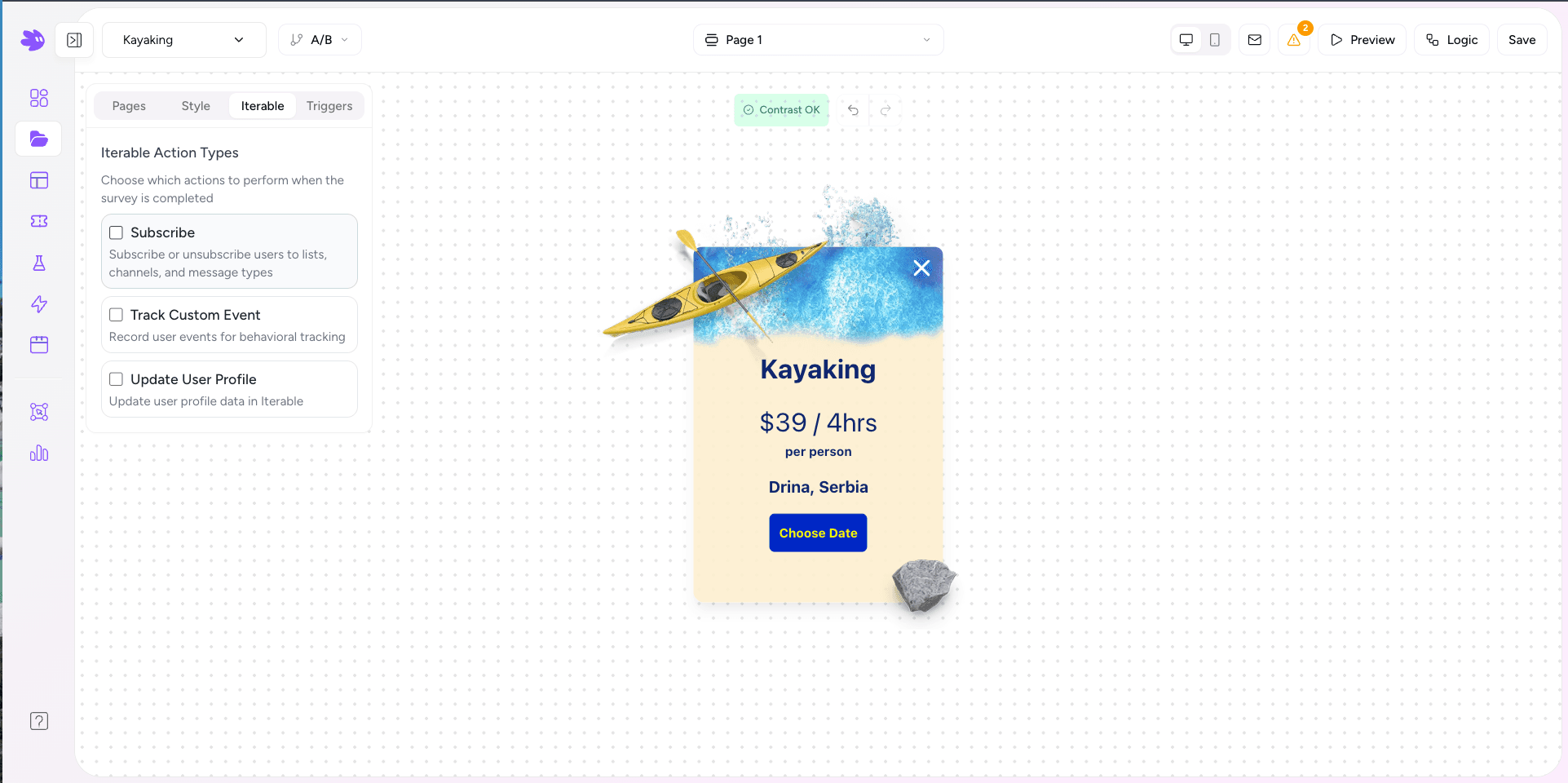
When a user submits a Jule widget, Jule calls the Iterable API server-side to create or update a user profile, subscribe them to lists, and fire a custom event — depending on which actions you enable in the editor's Iterable tab.
How it works
On submission, Jule's backend runs the Iterable actions you configured for the project:
- users/update — creates or updates the user profile with your mapped fields as dataFields (Update User Profile action).
- lists/subscribe — subscribes the user to any lists configured on the Iterable tab in the editor (Subscribe action).
- events/track — fires your configured custom event with the mapped field values as the event payload (Track Custom Event action).
All calls use the email address as the user identifier. If the user doesn't exist in Iterable yet, the profile update creates them.
The email field is the identity key
Set the Field Name of your email input element to exactly email. Jule uses this value as the Iterable user ID for all three calls. Without it:
- If data-iterable-email was set on the container div, that value is used instead.
- If neither is present, the submission is recorded in Jule analytics but not synced to Iterable.
Field name mapping
Every form element's Field Name in the editor becomes a key in the Iterable dataFields object. Match your field names exactly to existing Iterable user profile keys to avoid creating duplicates.
// What Jule sends to POST /api/users/update
{
  "email": "alex@example.com",
  "dataFields": {
    "phoneNumber": "+14155551234",
    "smsOptIn": "true",
    "signupSource": "summer-popup"
  }
}
List subscriptions
Open the Iterable tab in the widget editor to configure which lists to subscribe the user to on submission. You can select multiple lists. Subscriptions are additive — Jule never removes a user from a list.
The Track Custom Event action
When the Track Custom Eventaction is enabled, Jule fires a custom event to Iterable on each submission. The event name is set in the editor's Iterable tab — if left empty, it defaults to form_submission. The payload includes the project name and the field values you mapped in the Track Event mappings:
{
  "email": "alex@example.com",
  "eventName": "form_submission",
  "dataFields": {
    "project": "Summer Newsletter Signup",
    "fields": {
      "phoneNumber": "+14155551234"
    }
  }
}
Use dataFields.project in your Iterable Journey filter to trigger only on submissions from a specific widget, or give each widget its own event name.